
The Kopai API
Run your Kopai agents from your own code, through an OpenAI-compatible endpoint.
The API lets your own backend talk to an agent you built. The key difference from calling a model provider directly: you call an agent, not a model. Its instructions, knowledge base, tools and subagents all come with it.
The full interactive reference, with every parameter and every error, is at usekopai.com/api/v1/docs. The OpenAPI spec is at /api/v1/openapi.json.
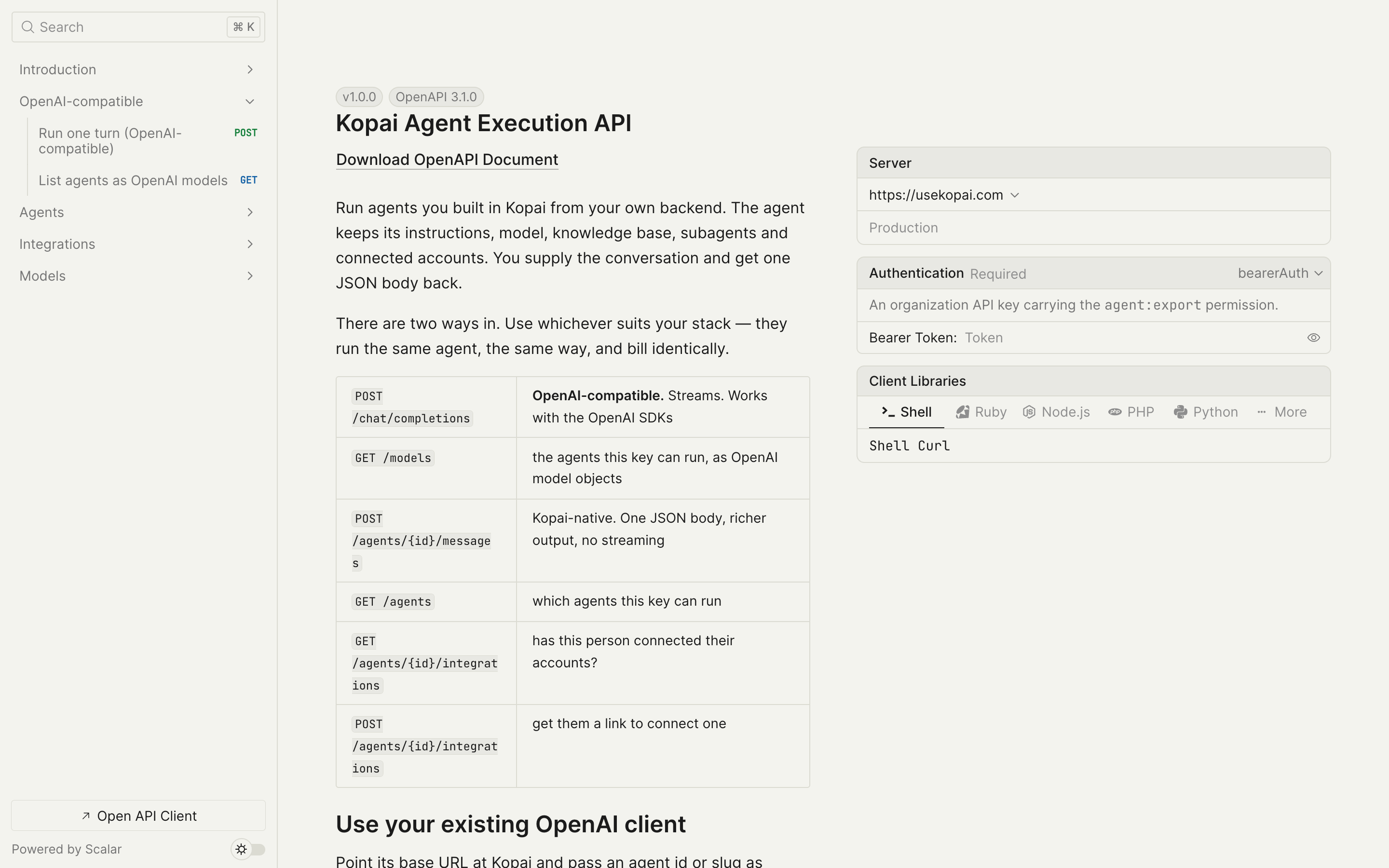
Needs a paid organization plan
API keys are available on Business Starter and Enterprise. The rate limit is 100 requests a minute per key on Starter and 1,000 on Enterprise.
Before you start
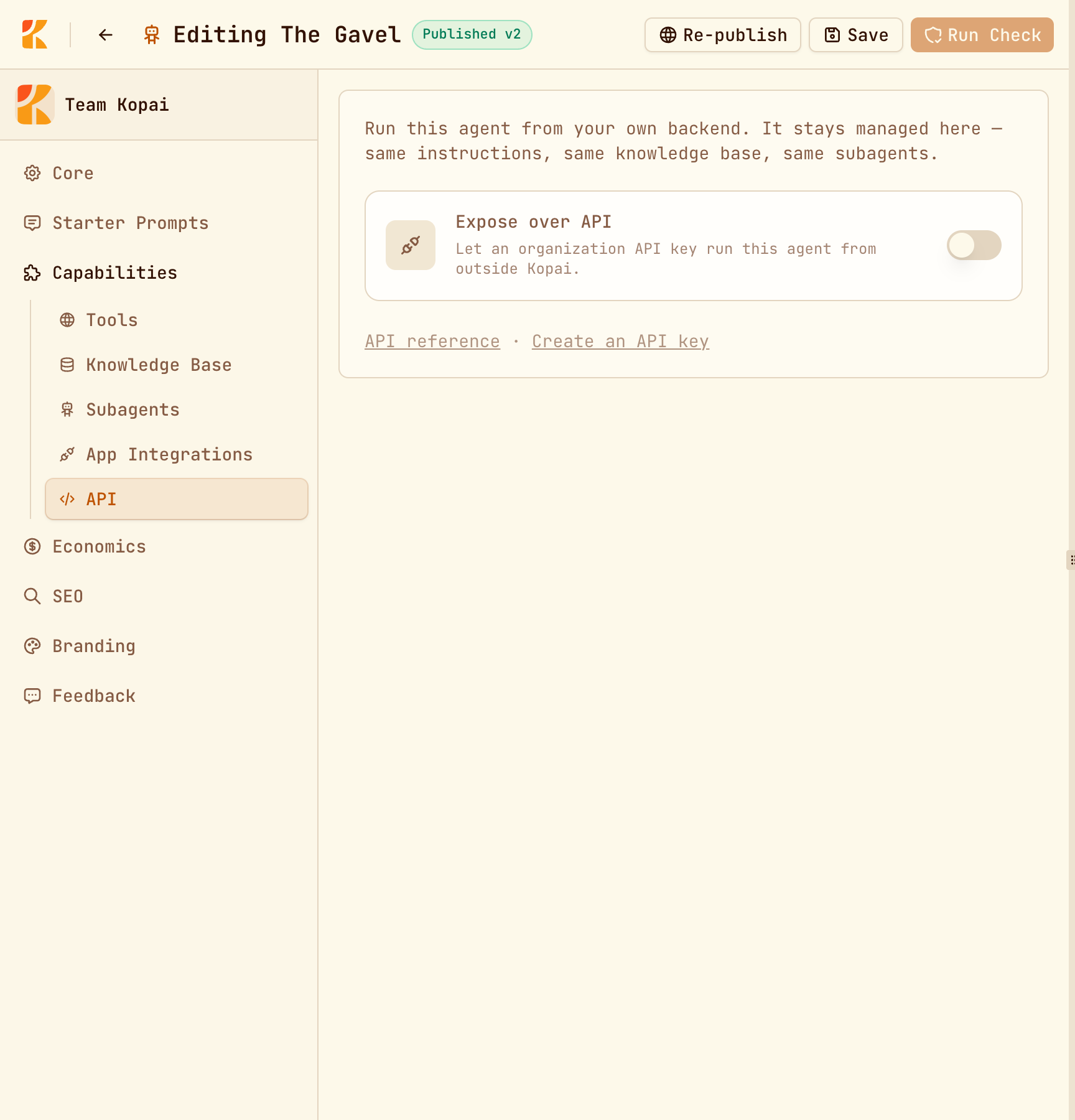
Expose the agent
In the builder, go to Capabilities → API and switch on Expose over API. An agent that isn't exposed is invisible to the API: requests for it return a 404, the same as for an agent that doesn't exist.
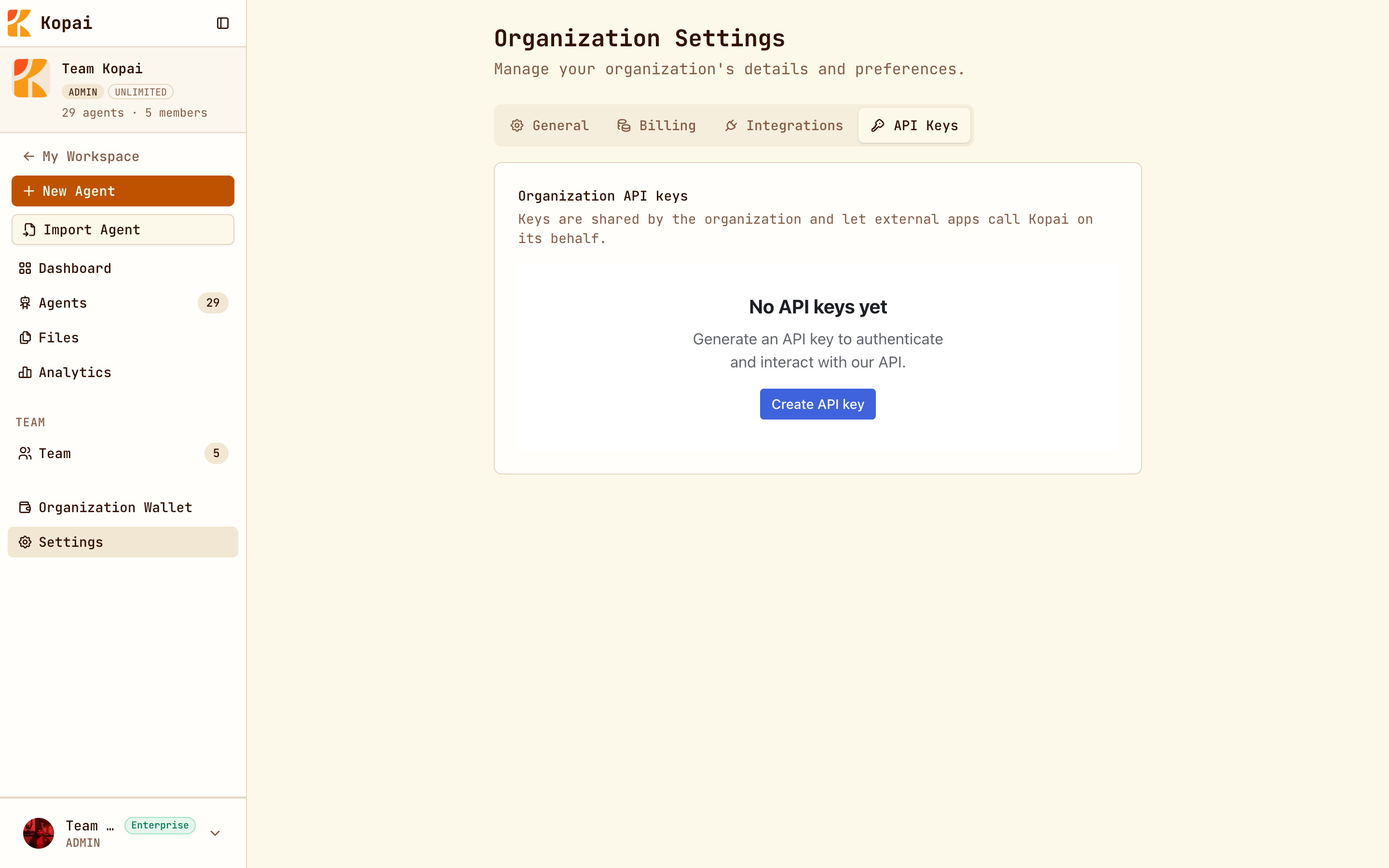
Create an organization API key
Go to Org → Settings → API Keys → Create API key. Keys belong to the organization, not to you personally, and any member with the right role can revoke them.
The OpenAI-compatible endpoint
If you already use the OpenAI SDK, point it at Kopai and pass your agent's ID or slug as the model.
curl https://usekopai.com/api/v1/chat/completions \
  -H "Authorization: Bearer $KOPAI_API_KEY" \
  -H "Content-Type: application/json" \
  -d '{
    "model": "support-agent",
    "messages": [{"role": "user", "content": "What is our refund window?"}],
    "user": "u_9931"
  }'
import os
from openai import OpenAI
client = OpenAI(
api_key=os.environ["KOPAI_API_KEY"],
base_url="https://usekopai.com/api/v1",
)
response = client.chat.completions.create(
model="support-agent", # an agent, not a model name
messages=[{"role": "user", "content": "What is our refund window?"}],
user="u_9931", # who this turn is for
)Add "stream": true to get server-sent events.
What's different from OpenAI
The request looks like OpenAI's, but it doesn't behave identically. Three rules catch people out:
model is an agent. Use the agent's ID or slug. To change which model answers, edit the agent, not your code. GET /api/v1/models lists the agents your key can use, in OpenAI's format.
Sampling parameters are ignored. temperature, top_p, max_tokens, stop, seed, presence_penalty and similar are accepted and discarded, because the agent's own configuration decides. The response tells you which ones were ignored.
Some parameters are rejected with a 422: tools, tool_choice, functions, response_format, logprobs, modalities, audio, and n above 1. An agent's tools are set up in Kopai, so defining them per request would be ambiguous. System and developer messages are rejected for the same reason: the system prompt belongs to the agent.
The native endpoint
If you don't need the OpenAI format, the native endpoint returns more: reasoning, tool calls, and generated files.
curl https://usekopai.com/api/v1/agents/support-agent/messages \
  -H "Authorization: Bearer $KOPAI_API_KEY" \
  -H "Content-Type: application/json" \
  -d '{
    "endUserId": "u_9931",
    "messages": [{"role": "user", "content": "Summarize last quarter and attach a spreadsheet."}]
  }'
The response includes the answer, any reasoning, the tool calls the agent made, files it generated, token usage, and why it stopped. It doesn't stream.
Identifying end users
The user field (or endUserId on the native endpoint) says which person a turn is for. It matters more than it looks:
- Memory is kept per end user. Without it, every caller shares one memory.
- Connected apps set to Each user's are looked up per end user.
Switch on Require an end user in the agent's API tab to reject calls that leave it out.
The end user ID is trusted, not verified
Kopai believes whatever your key sends. Anyone holding the organization key can act as any of your end users, so keep the key on your server and never ship it to a browser or mobile app.
Connecting apps for your users
If your agent uses per-user app connections, your users need to authorize them. Ask Kopai for a sign-in link and send them to it:
# What has this user connected?
curl "https://usekopai.com/api/v1/agents/support-agent/integrations?endUserId=u_9931" \
  -H "Authorization: Bearer $KOPAI_API_KEY"

# Get a link for them to connect GitHub
curl https://usekopai.com/api/v1/agents/support-agent/integrations \
  -H "Authorization: Bearer $KOPAI_API_KEY" \
  -H "Content-Type: application/json" \
  -d '{"toolkit": "github", "endUserId": "u_9931", "redirectUri": "https://yourapp.com/done"}'
Retries
Send an Idempotency-Key header, and a retry of the same request returns the saved response instead of running (and billing) again. A request that's still running returns 409; reusing a key with a different body returns 422.
It's worth doing for anything triggered by a webhook or a queue.
Errors
Errors use OpenAI's format: {"error": {"message", "type", "code", "param"}}.
| Status | Means |
|---|---|
401 | Missing or invalid key. |
402 | Your plan doesn't include API access, or the organization is out of credits. |
403 | The key lacks permission, or it's a personal key rather than an organization key. |
404 | No such agent, or it exists but isn't exposed over the API. |
413 | The request body is over 10 MB. |
422 | An unsupported parameter, or a missing end user on an agent that requires one. |
429 | Rate limited. Retry-After says how long to wait. |
Billing
API calls spend credits exactly like chats in the app. They're charged to the organization, with the same holds and the same itemised history, and there are no free messages. Only the last 30 messages you send are used as context.