
Knowledge base
Give an agent your documents so its answers come from them, not from the model's memory.
A knowledge base is a set of files an agent can draw on. When someone asks a question, Kopai finds the passages that actually relate to it and gives them to the model along with the question, so the answer comes from your documents.
This matters more than it sounds. Without a knowledge base, an agent answers from whatever its model learned in training. With one, it answers from your contract, your handbook, your spec, and can tell you where it found the answer.
The organization file library
Files belong to your organization, not to one agent. Upload once and attach to as many agents as you like. Storage counts each file once, however many agents use it.
Org → Files is the library. Each row shows the size, who added it, when, and which agents use it. Files that no agent uses are flagged, so the library doesn't quietly fill up with dead weight.
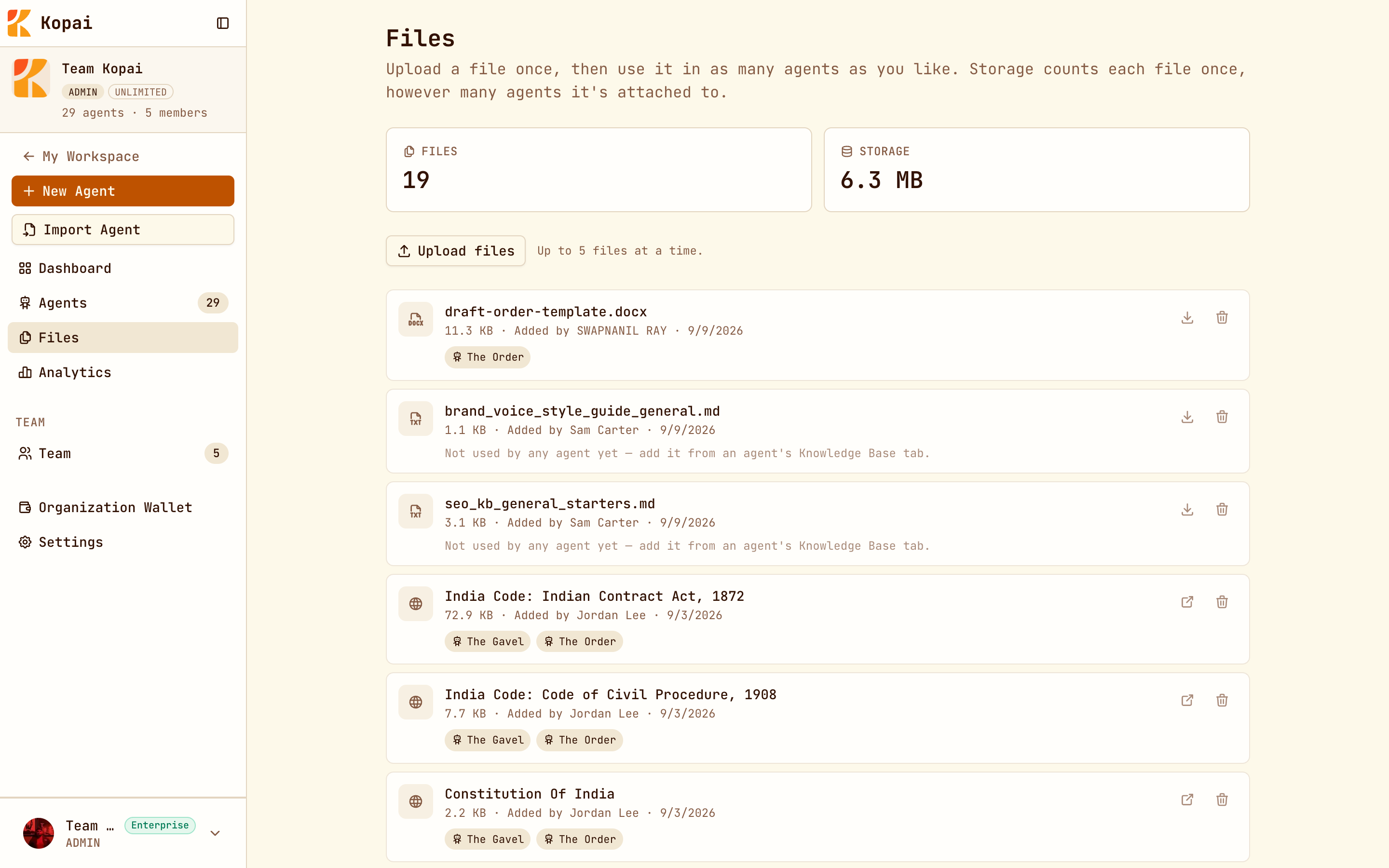
Removing a file from an agent leaves it in the library. Deleting it from the library removes it everywhere.
Attaching files to an agent
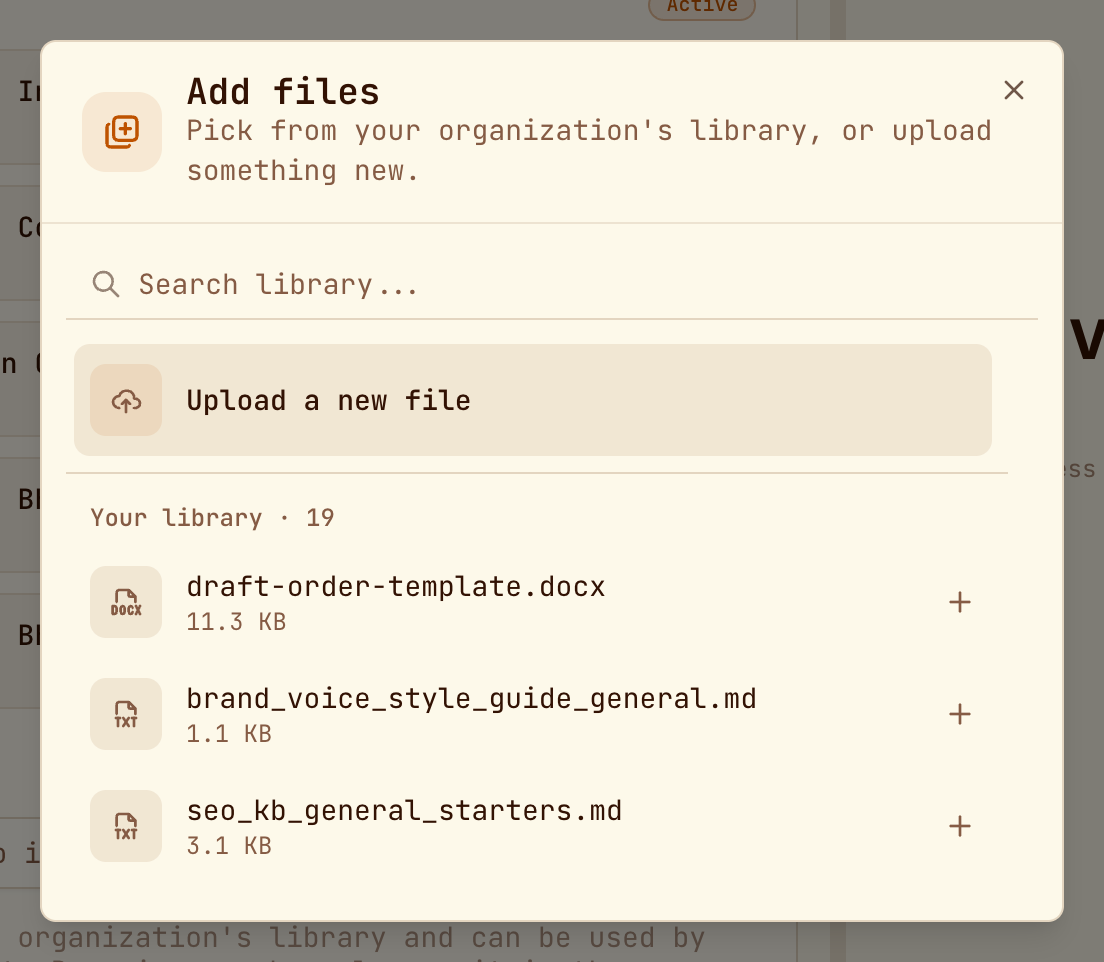
Open Agent Builder → Capabilities → Knowledge Base, switch it on, and click Add files to pick from the library or upload new ones.
Save the agent first
The panel stays disabled until the agent has been saved once.
You can upload up to 5 files at a time. Large PDFs take a few seconds to index.
What you can upload
| Format | Free plan | Paid plans |
|---|---|---|
| PDF, DOCX, XLSX, PPTX, CSV, JSON | Yes | Yes |
| TXT, MD | No | Yes |
| Images: JPG, PNG, WEBP, GIF | No | Yes |
Limits
Business Starter and Enterprise remove the per-agent file cap.
Indexing a URL
Paste a link into the URL field and click Index. Kopai fetches the page, pulls out the text, and treats it like an uploaded document. It's a snapshot, not a subscription, so if the page changes, index it again.
Getting good answers out of it
Retrieval finds passages, not whole documents, and it finds them by meaning. A few things follow from that:
- Structure beats volume. A well-organized 20-page document retrieves better than a 200-page scan, because each passage carries enough context to stand on its own.
- Split by topic. One file per subject retrieves more precisely than one file with everything in it.
- Say it in the instructions. If the instructions don't tell the agent it has documents and should prefer them, it may answer from the model instead. "Answer from the attached documents; if they don't cover it, say so" is usually enough.
- Scanned PDFs without a text layer index as nothing. If a PDF is just pictures of pages, there's no text to extract.
Projects have their own
Projects have a separate, smaller knowledge base: up to 10 files, 4 MB each, available to every chat in that project. See Projects.
| Agent knowledge base | Project knowledge base | |
|---|---|---|
| Belongs to | An organization | You |
| Shared with | Anyone using the agent | Only you |
| Files come from | The org library | Uploaded to the project |
| Good for | Product docs, policies, reference material | One client, one deal, one investigation |