
Memory
How Kopai remembers things about you between conversations, and how to manage what it keeps.
Kopai builds up a picture of you as you use it. After each exchange it pulls out the facts worth keeping and stores them. In later conversations it brings back the ones that matter, so you don't have to re-explain your situation every time you open a new chat.
Memory is provided by Mem0.
What gets kept
Preferences and lasting facts, not transcripts. Things like:
- Prefers short answers with the conclusion first.
- Is building a SaaS product in Next.js.
- Works in commercial litigation, not criminal.
Scope
Memory is tied to your account, and that's the important part. It's shared across every conversation you have, with every agent, in every organization. A preference you mention to a research agent can come up when you're talking to a coding agent. That's usually what you want, and occasionally a surprise.
It isn't shared with other people, and agent creators can't see it.
Managing it
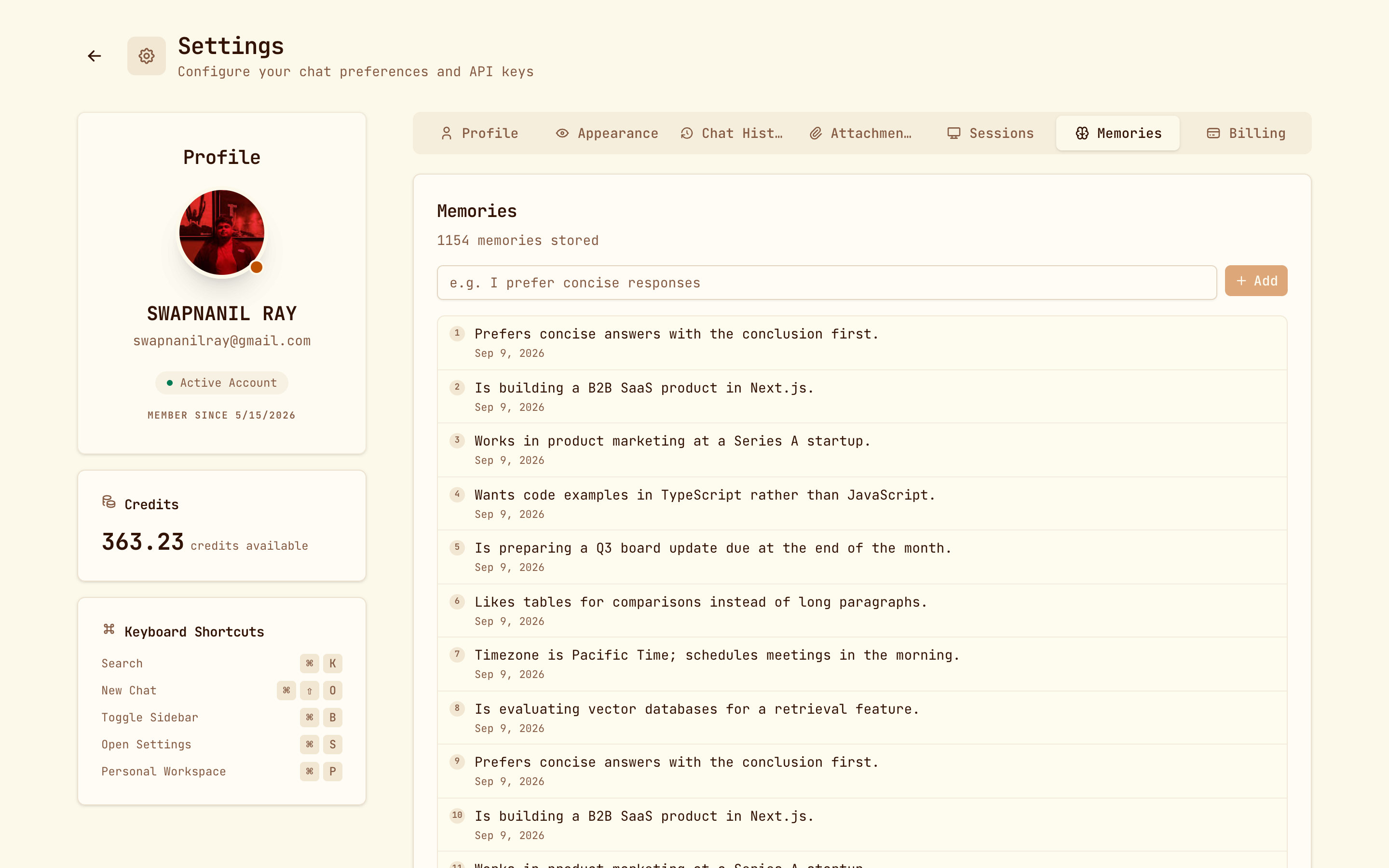
Settings → Memories lists everything stored, with a count at the top. You can:
- Add a memory directly. It's useful for stating a preference once instead of hoping it gets picked up. "I prefer concise responses" is a good first one.
- Delete any individual memory.
There's no per-conversation opt-out
Recall is always on. To stop something being remembered, delete it in Settings → Memories.
For agent builders
Memory recall is a tool the agent uses, so it shows up in the activity timeline like any other. If you're building an agent that should forget everything between chats, such as a public form filler, keep memory out of its instructions and it won't reach for it.
If your agent is exposed over the API, switch on Require an end user so each caller's memory stays separate from everyone else's.